A full English interface beside Arabic
Every screen, message and report in English, left to right — switch the language in Settings or on the sign-in screen with one click.
- Arabic / English
- No data loss
- Default names in your language
TQ Store is a complete system for supermarkets and retail shops: barcode and touch selling, live stock, cash boxes, banks and e-wallets, shifts with a cash drawer per cashier, live reports and profit, and precise permissions on every screen — in a calm, fast interface that's easy on the cashier all day.
 TQ Store — Al-Nour Supermarket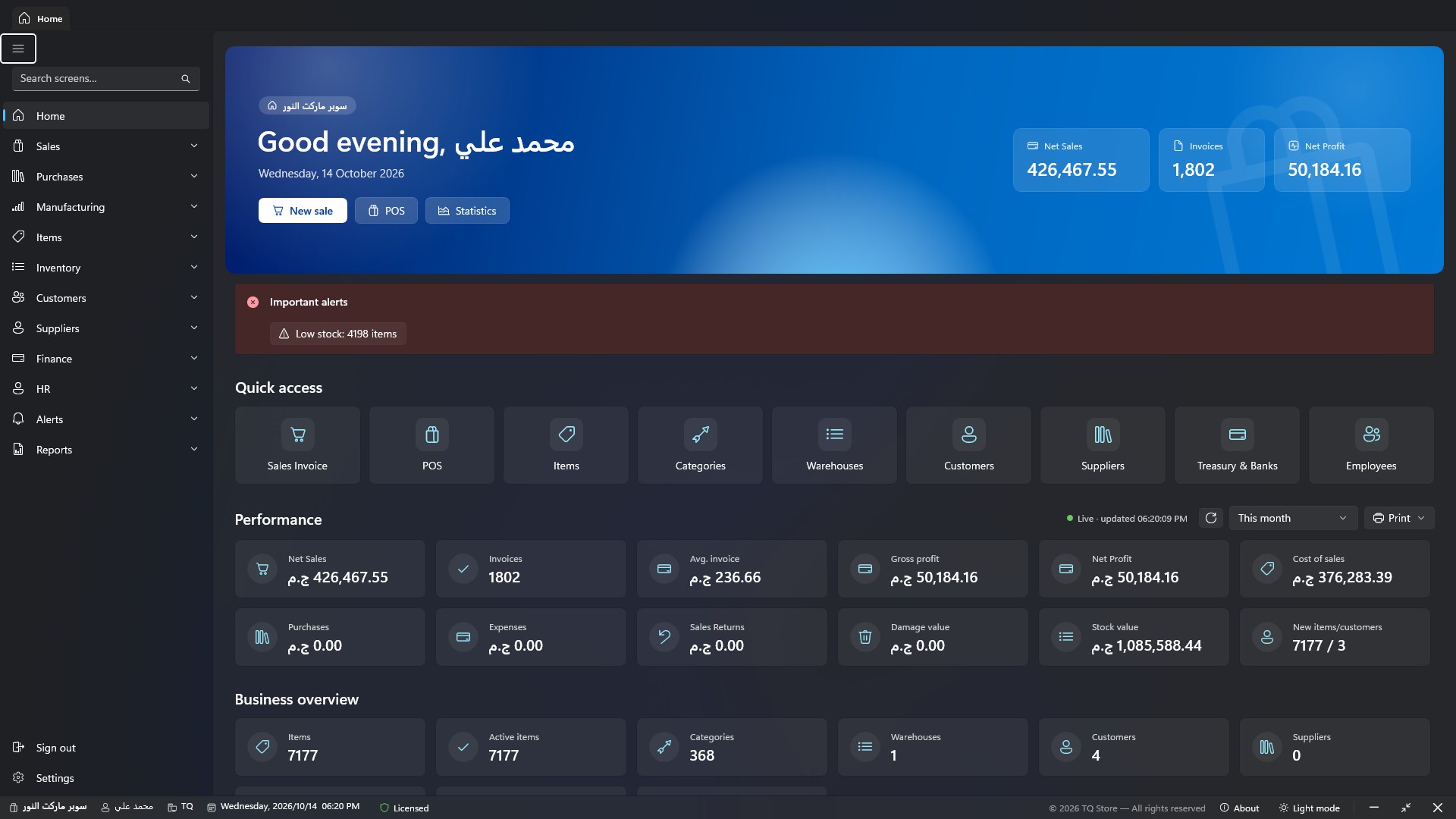
Pick a section to see the real screen and what you can do with it. Click any image to enlarge it.
Sales Invoice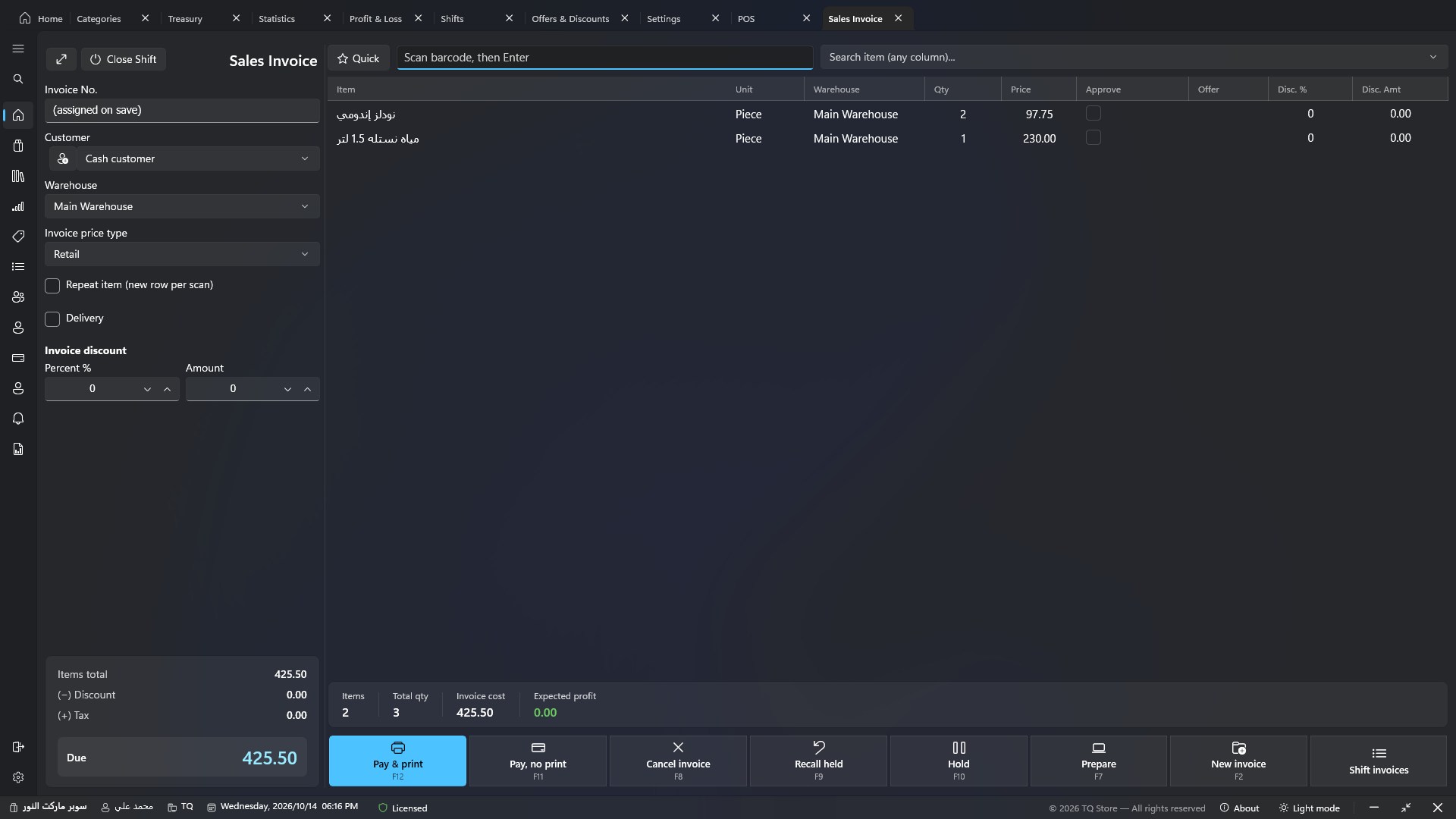
Scan the barcode and press Enter — the item is added instantly with its price and unit, and the total and expected profit update before your eyes.
POS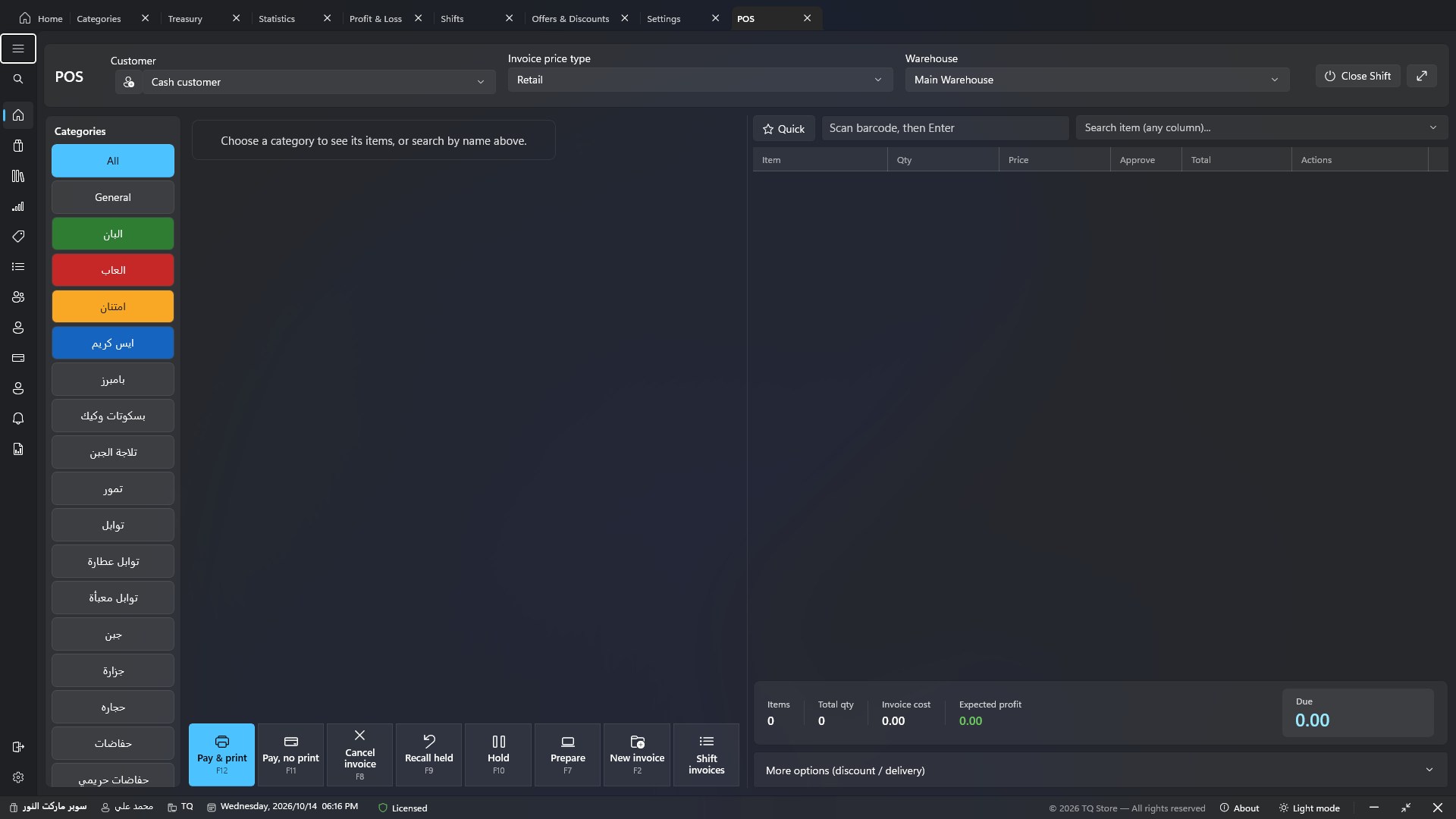
Coloured categories and large item tiles — the cashier sells with a tap, no keyboard or mouse.
Item management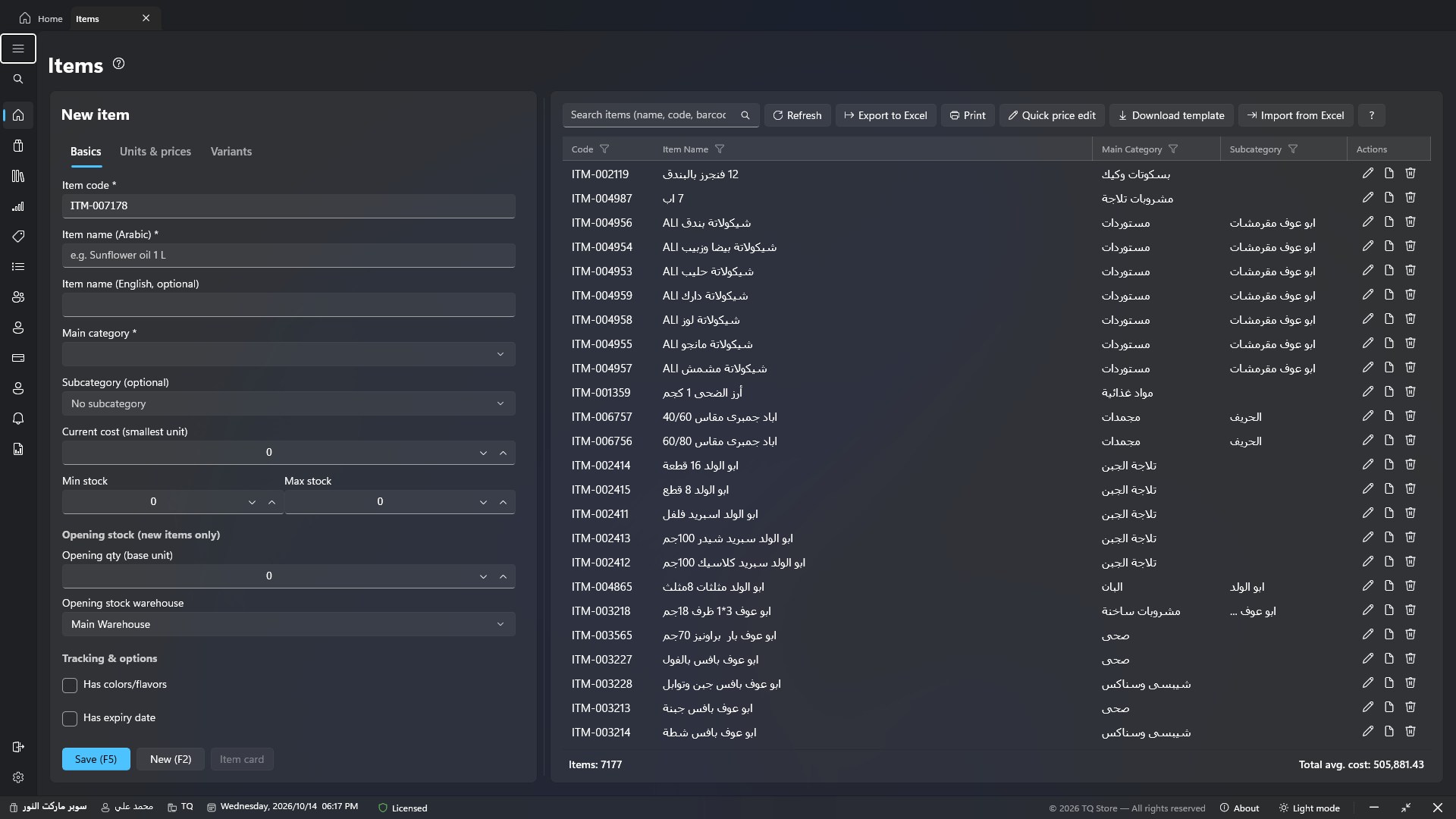
Thousands of items appear instantly, with search by name, code or barcode, and editing from the same screen.
Stock overview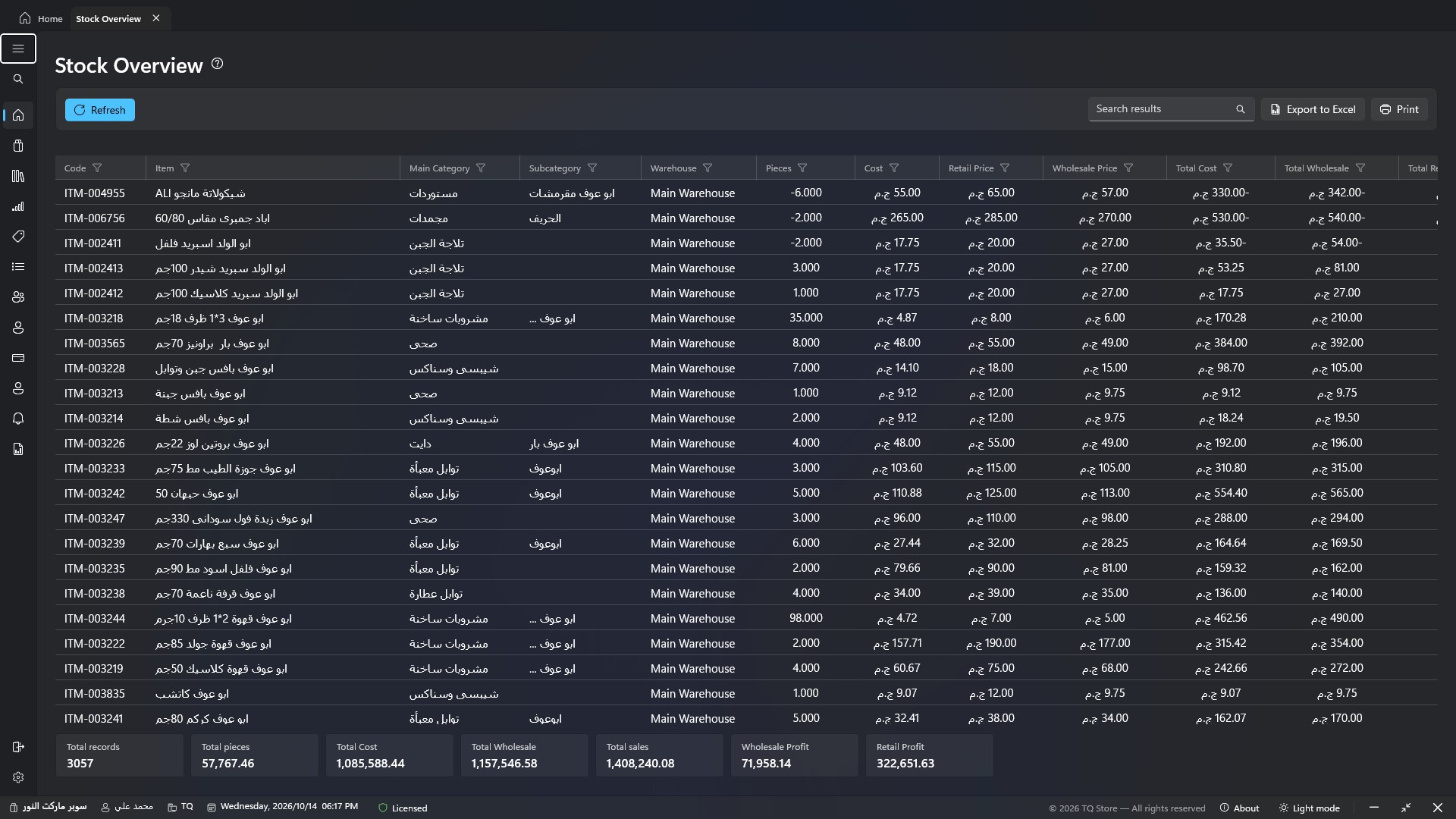
Every item's balance in every warehouse, with its cost, sale price, total value and your expected profit.
Treasury — current balances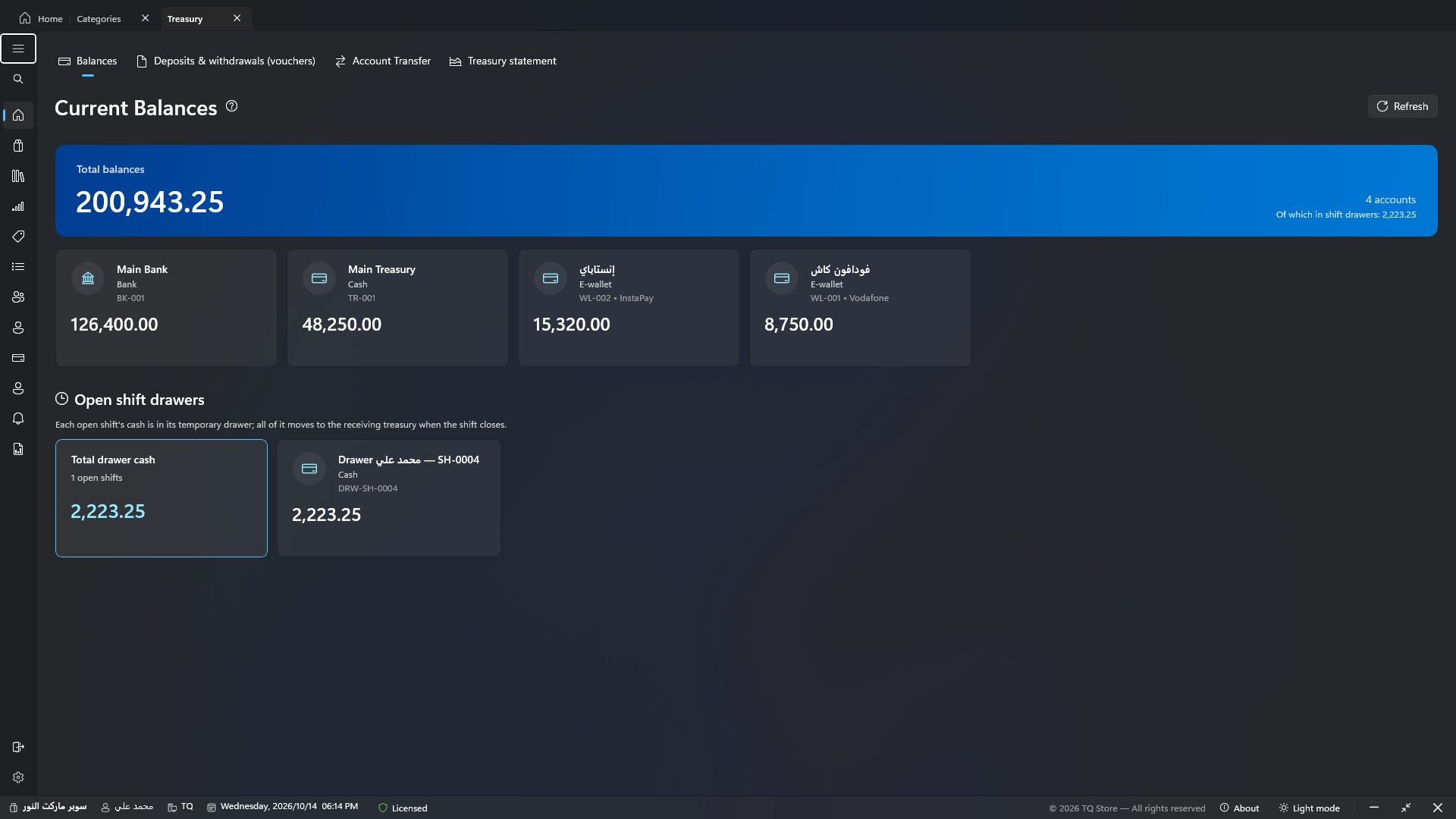
Cash boxes, banks and e-wallets (Vodafone Cash, InstaPay…) with live balances and a statement for each account.
Home — performance and charts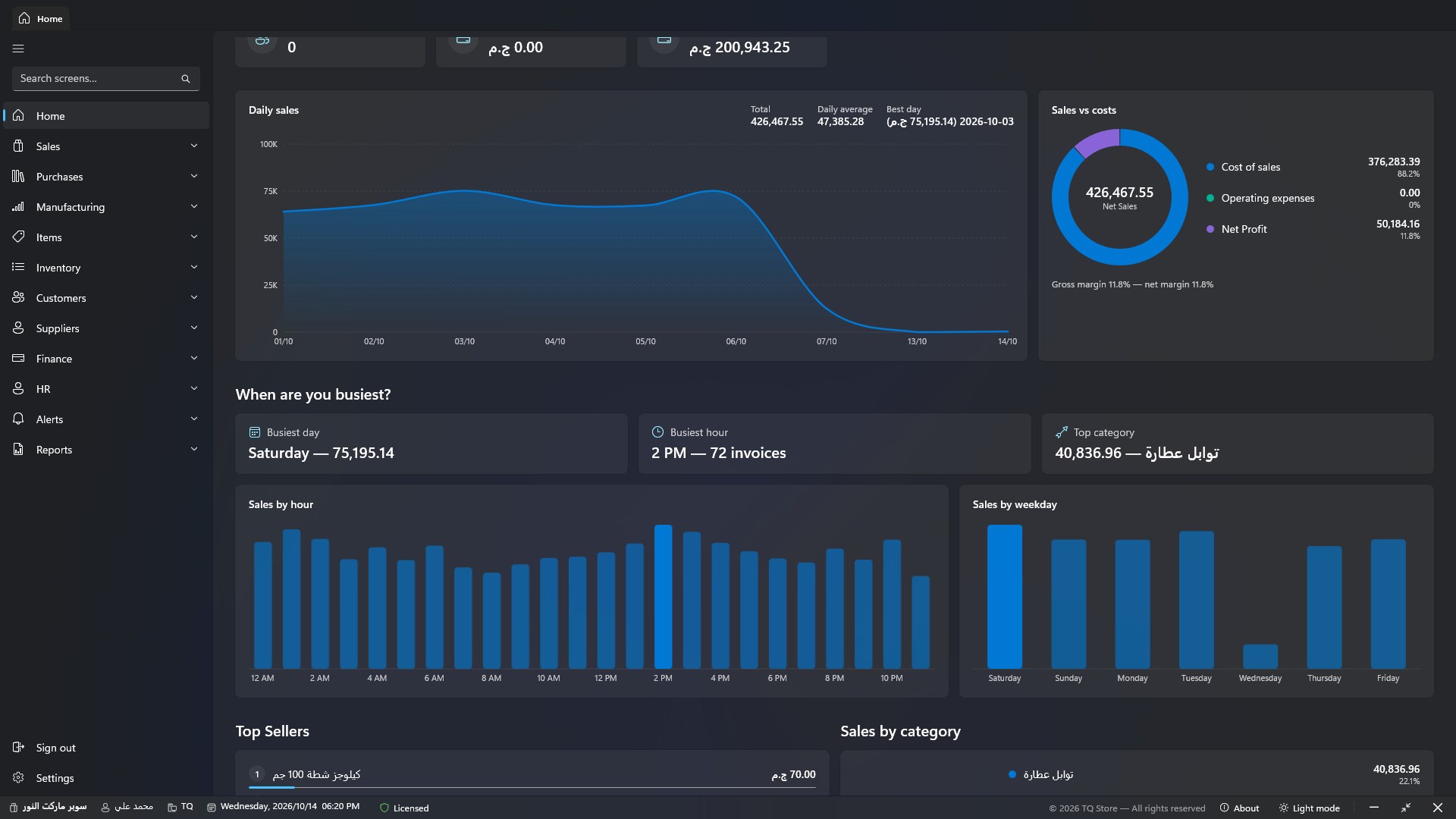
Today's, this week's and this month's statistics, top sellers, sales by cashier, and profit & loss.
Every addition here came from a real request by shop owners — and it's free for everyone with updates.
Every screen, message and report in English, left to right — switch the language in Settings or on the sign-in screen with one click.
If the server PC goes offline, the cashier keeps selling from the copy of items on their PC, and invoices are posted automatically when the connection returns — never twice.
The sales invoice and the shift-closing report print in Arabic or English as set, with a button to switch any single invoice's language in the preview.
A table scale connected to the PC reads the weight directly, plus one-tap ready weights (¼, ½, 1 kg…) or weight by amount, beside scale barcodes.
A first-run wizard sets up your business details, currency and printing, and a «Quick add items» screen enters hundreds of items by barcode fast.
Your license tells the program where updates live: it downloads the new version in the background and installs it when closing — and the installer checks Windows and explains what's needed if it isn't suitable.
Every module is connected: a sale deducts stock, records cash in the treasury, and appears in the shift and reports — automatically.
Barcode sales invoice, touch POS, full or partial returns, held invoices and safe editing of posted invoices.
Purchase invoices and returns, supplier balances and statements, credit and scheduled payments with alerts.
Multiple warehouses, transfers, adjustments, damage, barcode stocktake, expiry tracking and weighted average cost.
Main and sub categories, units, colours and flavours, and a drag-and-drop barcode label designer.
Live balances, receipt and payment vouchers, account transfers, expenses, and a full statement for every account.
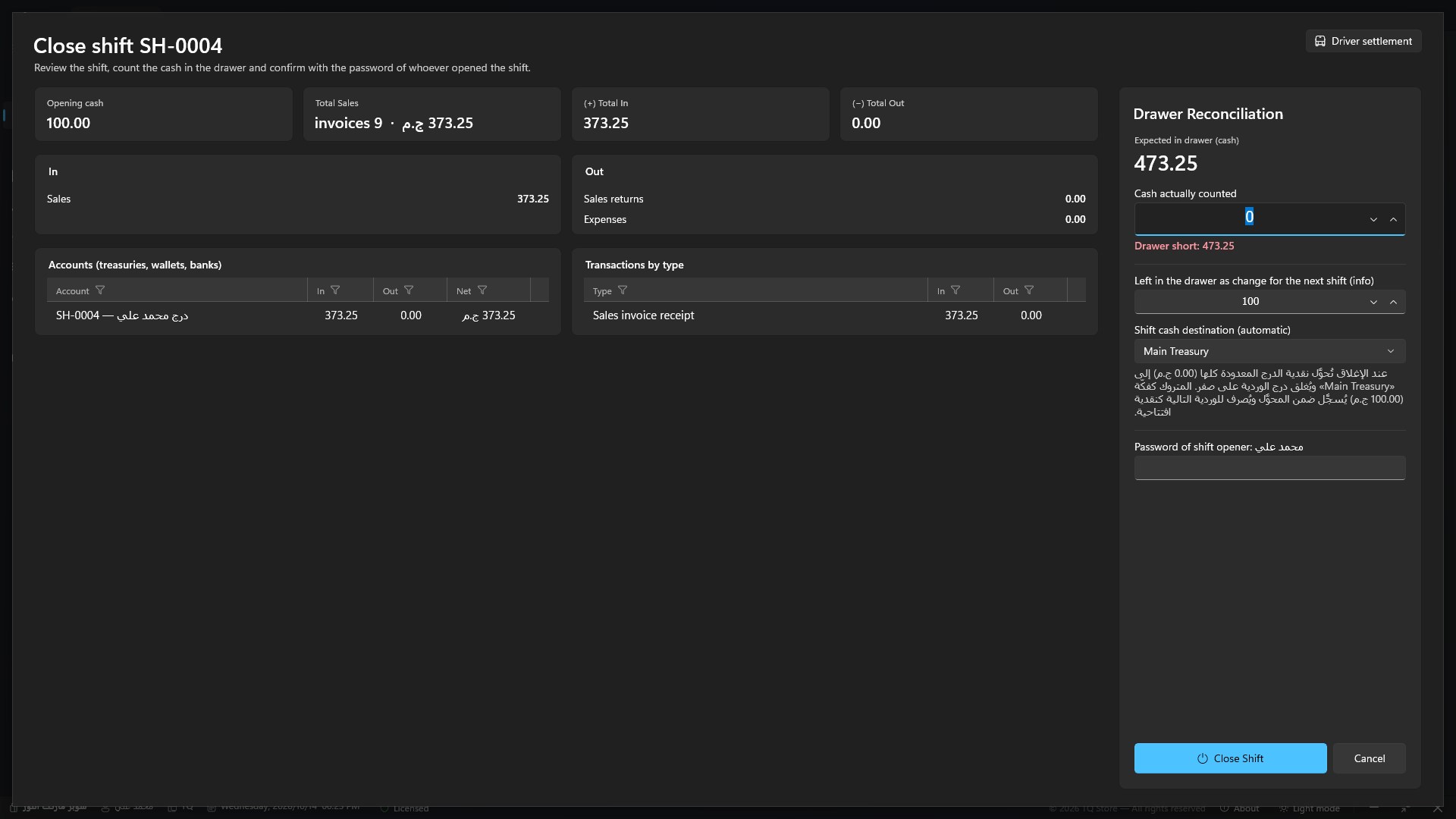
Open and close with the cashier's password, a temporary cash drawer per shift, shortage and overage, and a detailed closing receipt of money in and out.
Customer balances and credit limits, collections, installment plans with due payments, and detailed statements.
Item or category discounts, buy X get Y, and a discount above an invoice total — applied automatically when selling.
Recipes and bills of materials, production orders that consume materials and add the finished product at its real cost.
Employees, salaries, advances, deductions and bonuses, and attendance by employee barcode.
Permission per screen, discount limits per cashier, manager-password override, and copying permissions between users.
Automatic backup on sign-out, one-click restore, and cloud sync to an online copy of your data.
Every feature here came from a real request by a shop owner or cashier — so it solves real daily problems.
As soon as you open the program you see your daily sales on a chart, sales versus costs and net profit, and when business peaks: the best day, the busiest hour and the top-earning category.
Opening a shift creates a temporary drawer in the cashier's name and shift number. All the shift's cash goes into it; at close the cashier counts the drawer, any shortage or overage shows at once, and all the cash is handed over automatically to the receiving treasury.
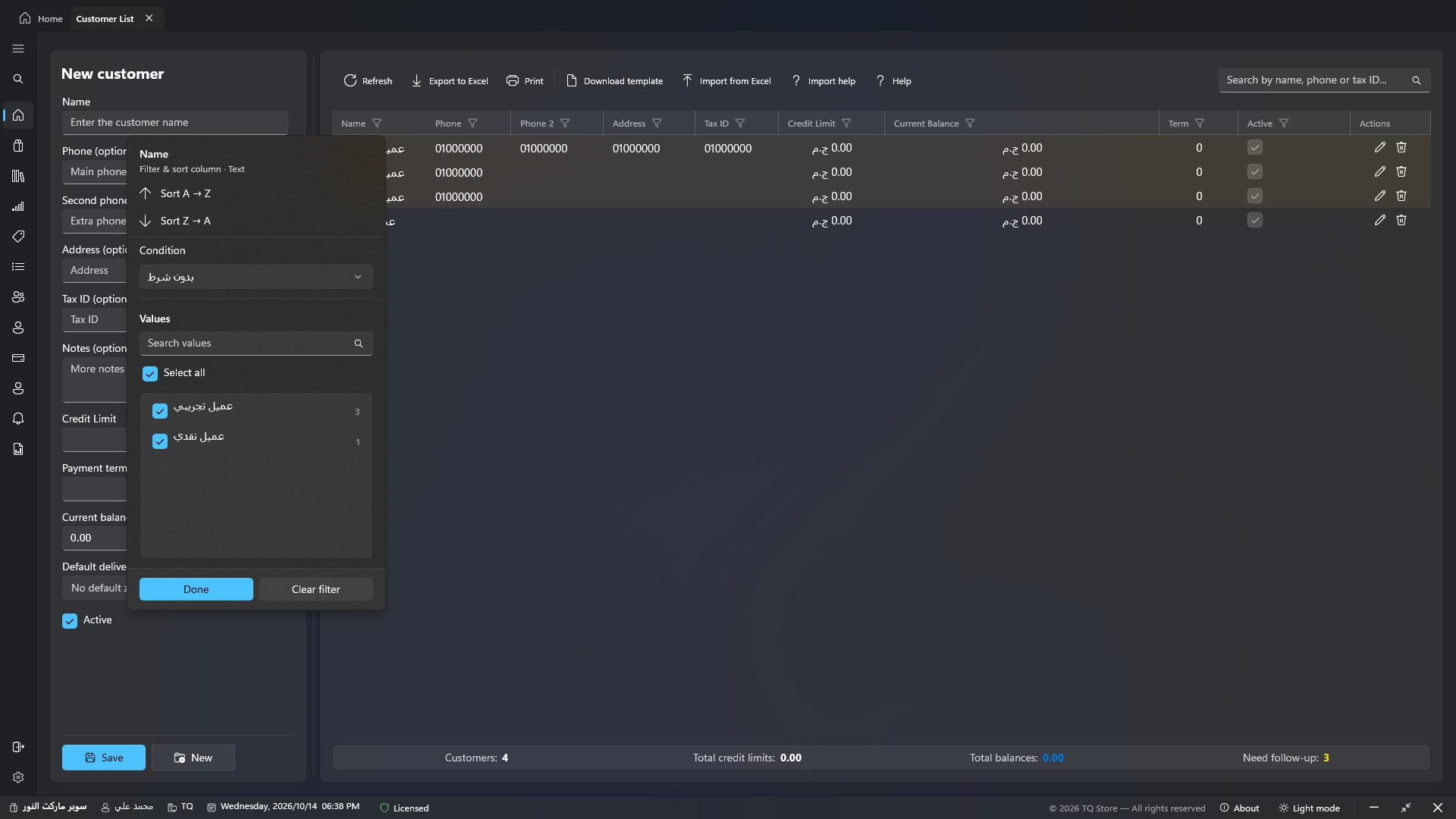
In every grid: click the filter icon next to a column name to filter text, numbers and dates with smart conditions and a list of values — results appear as you type.
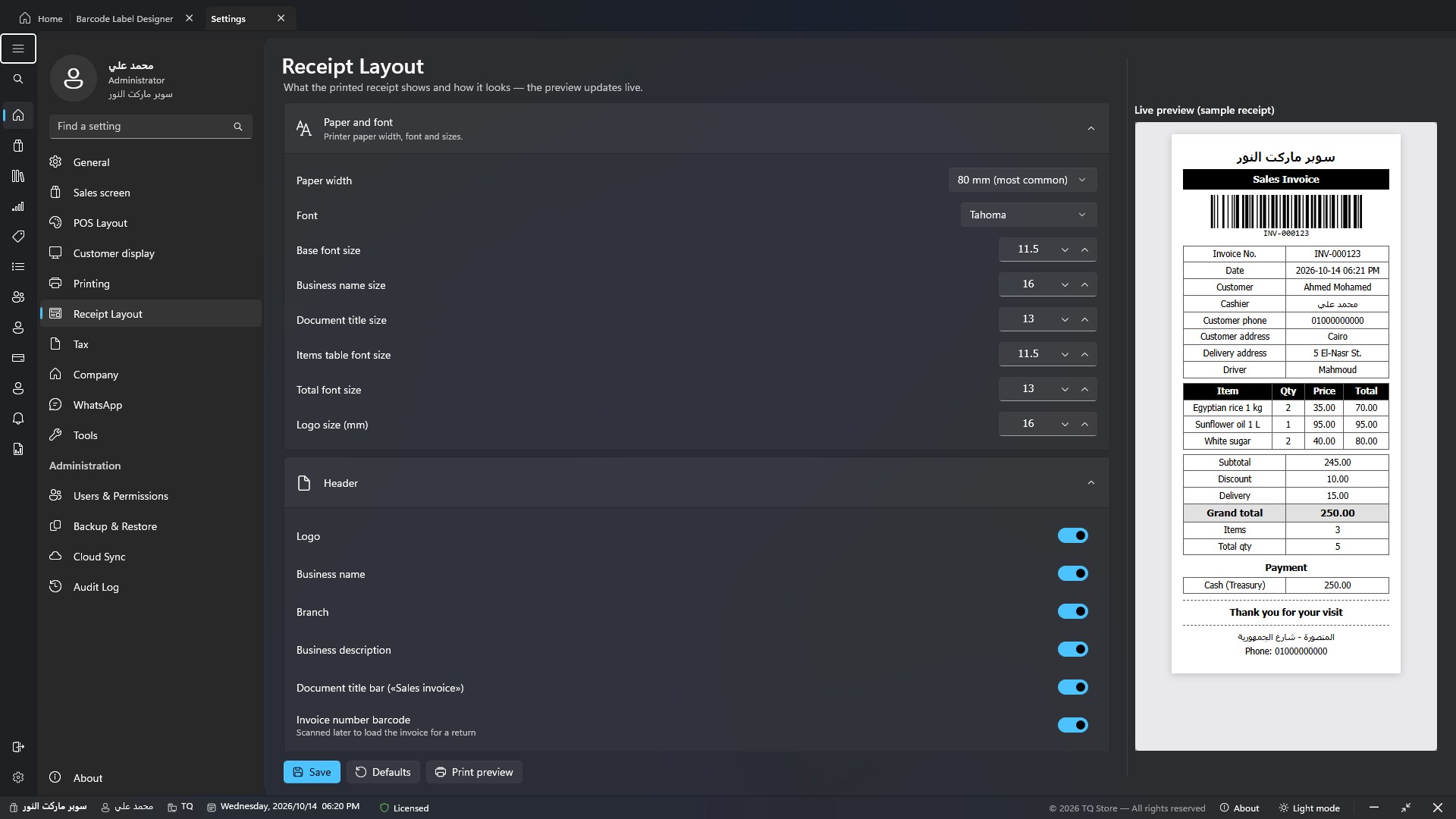
Choose what the thermal receipt shows and every font size, add your business details and a QR code for your page or website — the preview changes with every edit.
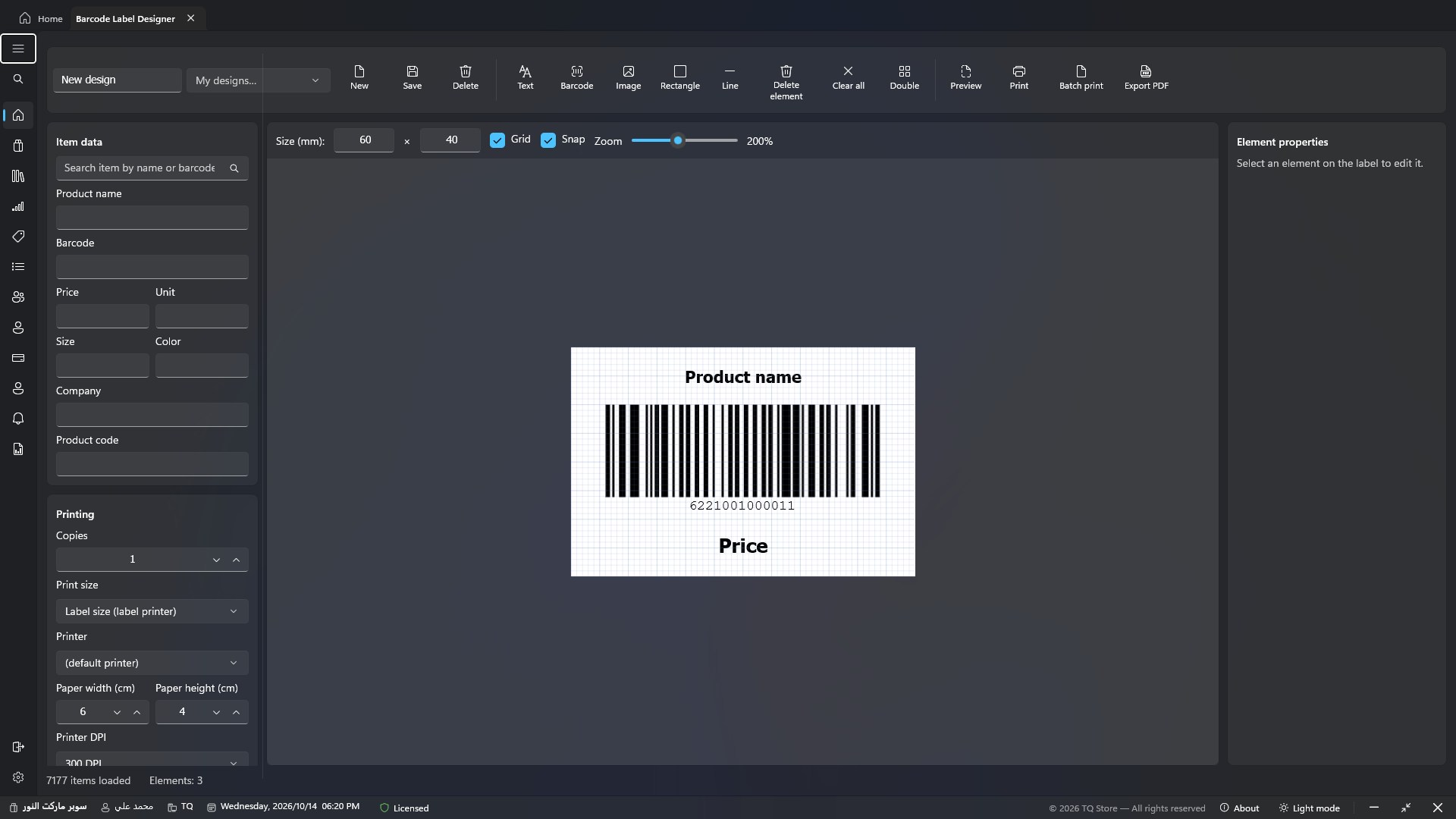
Drag text, barcodes and images onto a label of any size, bind it to item data, and print one copy or hundreds of labels at once.
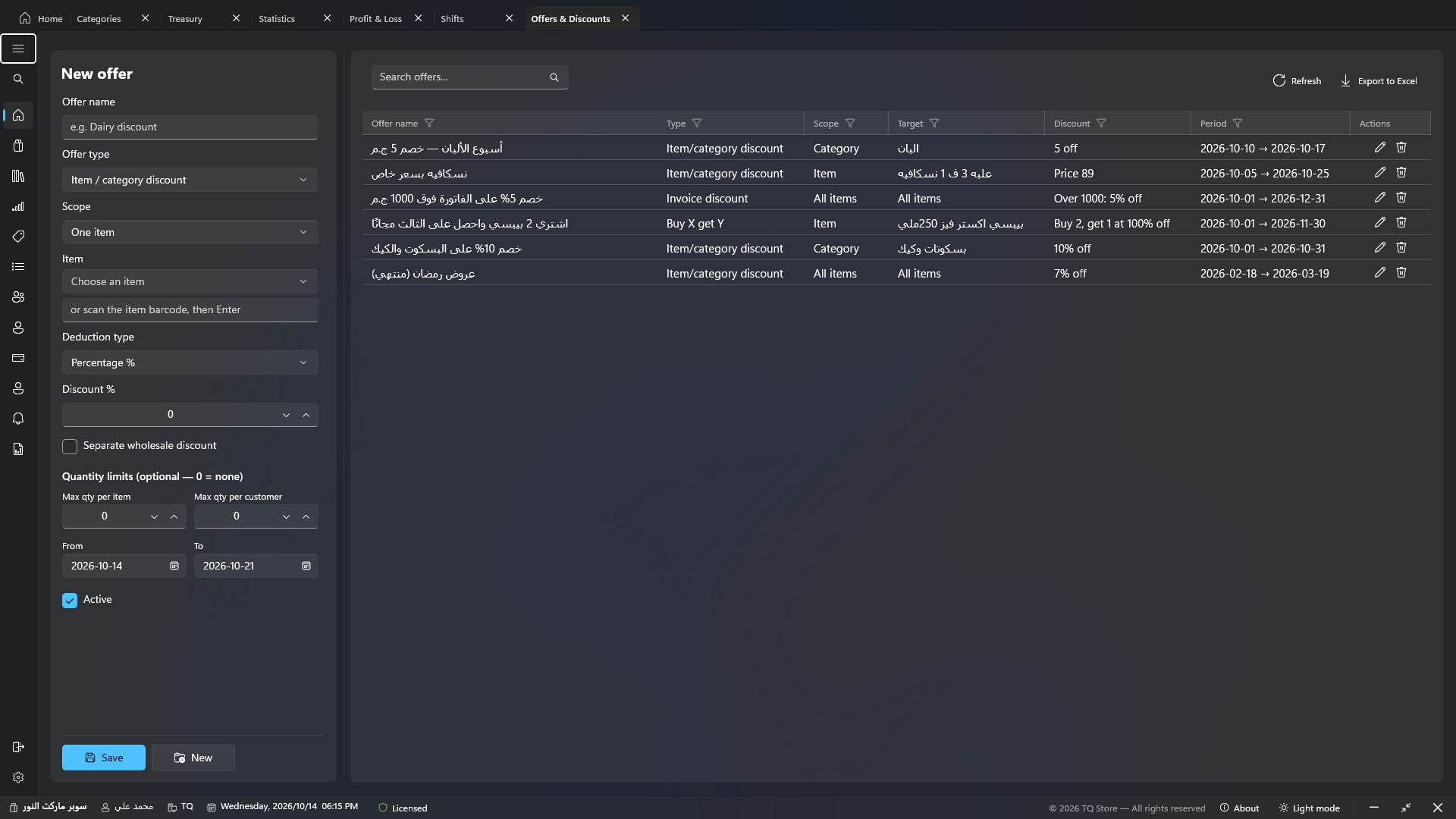
Set up an offer once with its dates, and the program applies it automatically to every eligible invoice — the cashier doesn't need to remember or calculate it.
Every user has view, add, edit, delete and print permissions on every screen, plus limits on discounts and negative-stock sales. When a cashier needs an exception, the manager's password overrides it — and it's logged.
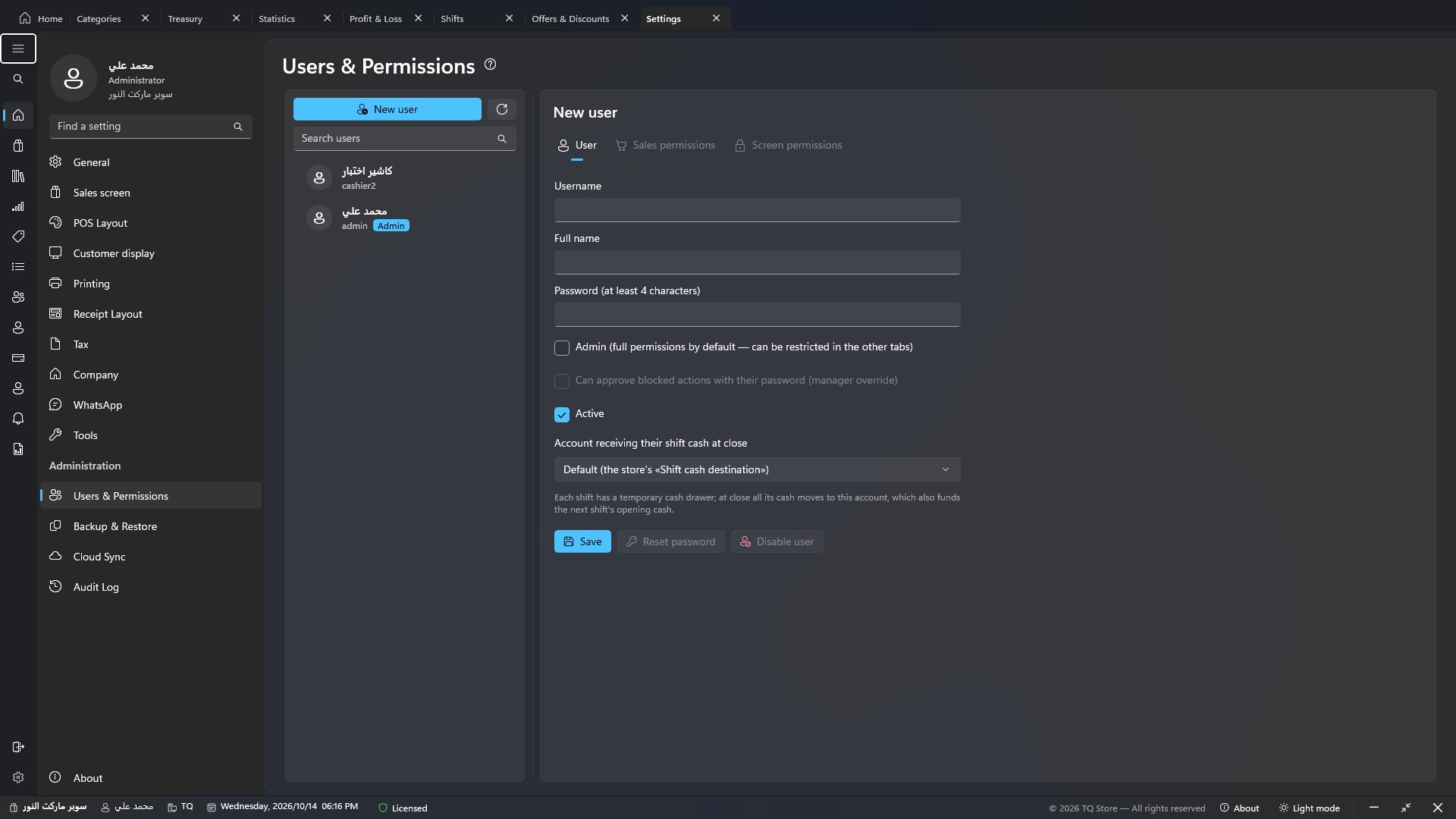
Pick the mode that suits your shop's lighting; each PC keeps its own. Drag the slider to compare.
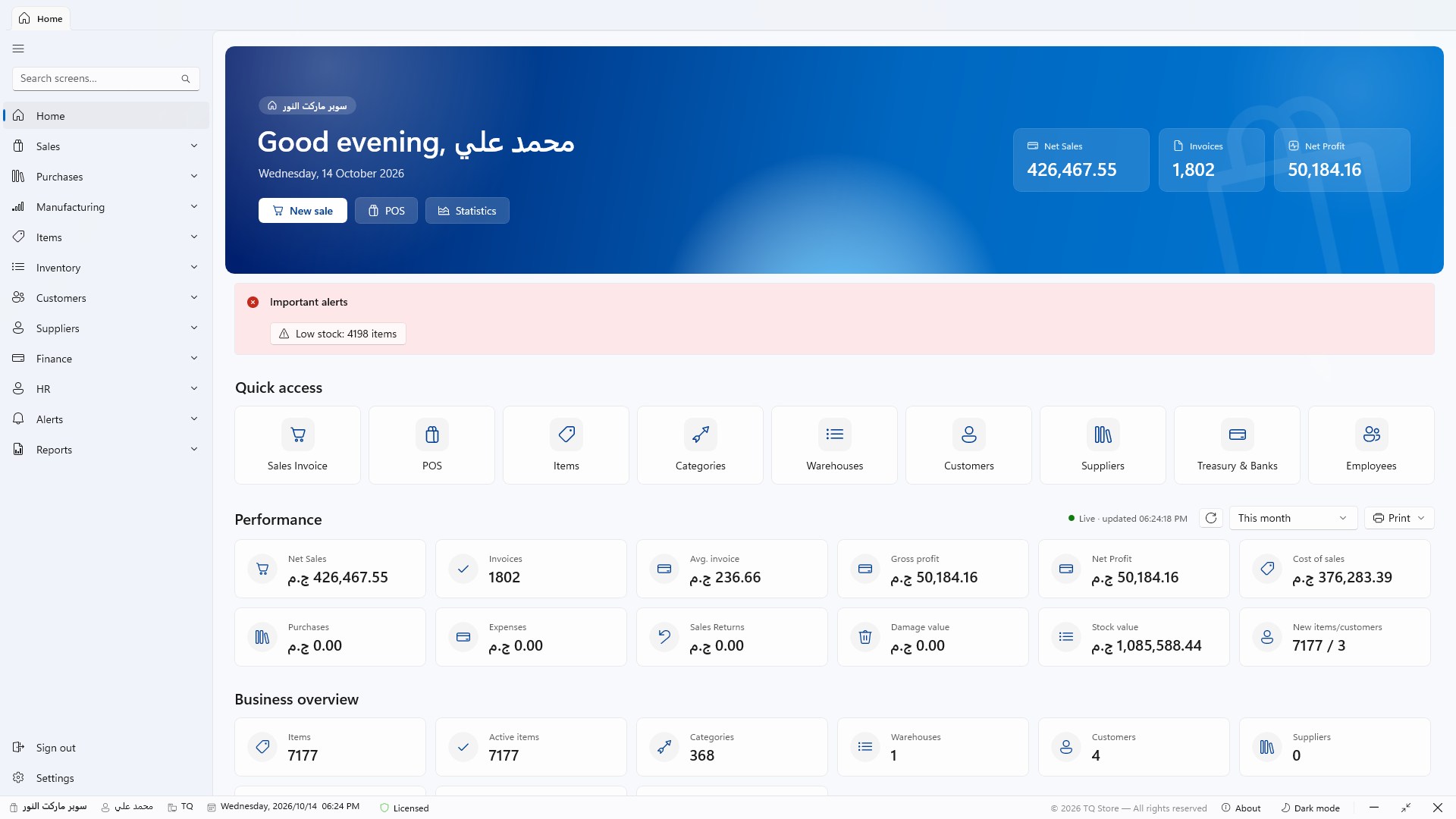
No mock-ups — this is exactly what you'll see after installing. Click any screen to enlarge it and use the arrows to browse.
The installer sets everything up itself — the database, the required components, and the network between PCs.
One file with the program and everything it needs, no separate frameworks to install.
Server PC: the program + the database (downloaded automatically). Cashier PC: the program only, connecting to the server.
Every feature is fully open during the trial — real data and real printing.
From the «Activation» screen, send your PC code over WhatsApp with one click and paste the license key — your data stays as it is.
No special hardware — any modern Windows PC will do.
| Item | Minimum | Recommended |
|---|---|---|
| Operating system | Windows 10 (1809) — 64-bit | Windows 11 |
| Processor | Dual-core 2 GHz | Core i3 / Ryzen 3 or newer |
| Memory | 4 GB | 8 GB (for the server) |
| Storage | 2 GB free | SSD |
| Screen | 1366 × 768 | Full HD — touch supported |
| Database | SQL Server Express — Installed automatically by the setup on the server PC | |
| Extra components | .NET and WebView2 — included or installed automatically | |
Download the installer, choose «Server PC» on your main computer, and start selling in minutes. Activating keeps everything you entered during the trial.
Book a live demo on data like your shop's, or start the free trial now and contact us whenever you need.
For the technically curious: a native Windows desktop program, not a website in a browser.